Get the Saleric App
Get the Saleric App
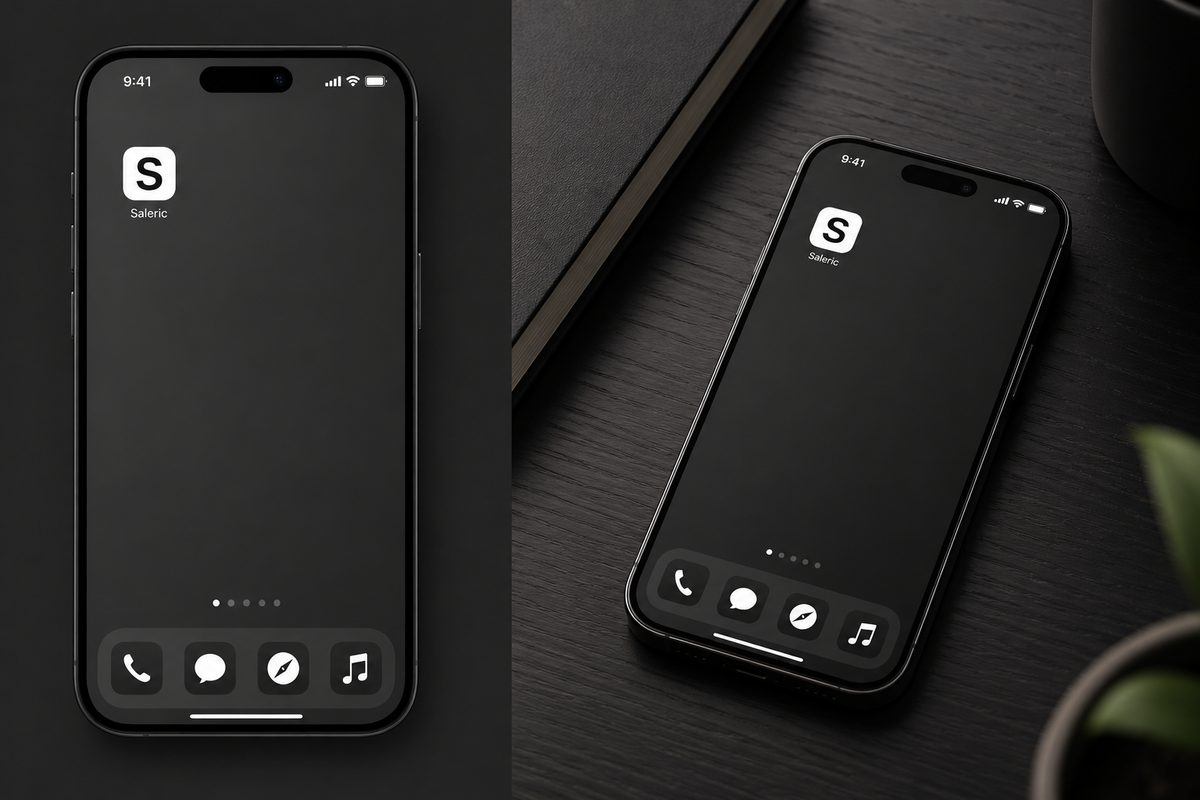
Saleric is now available as an Android app — same articles, same mindset content, right on your home screen.
Why get the app
- Faster access — no need to open a browser
- Cleaner reading experience
- One tap to catch up on the latest posts
Download Saleric for Android (APK)
How to install
- Tap the download button above on your Android phone
- If prompted, allow installs from this source (Settings > Apps > Special access > Install unknown apps)
- Open the downloaded file and tap Install
- Open Saleric from your home screen
What to expect during install
Since Saleric isn't on the Play Store yet, Android will show a few security prompts. This is normal — here's what to do at each step.
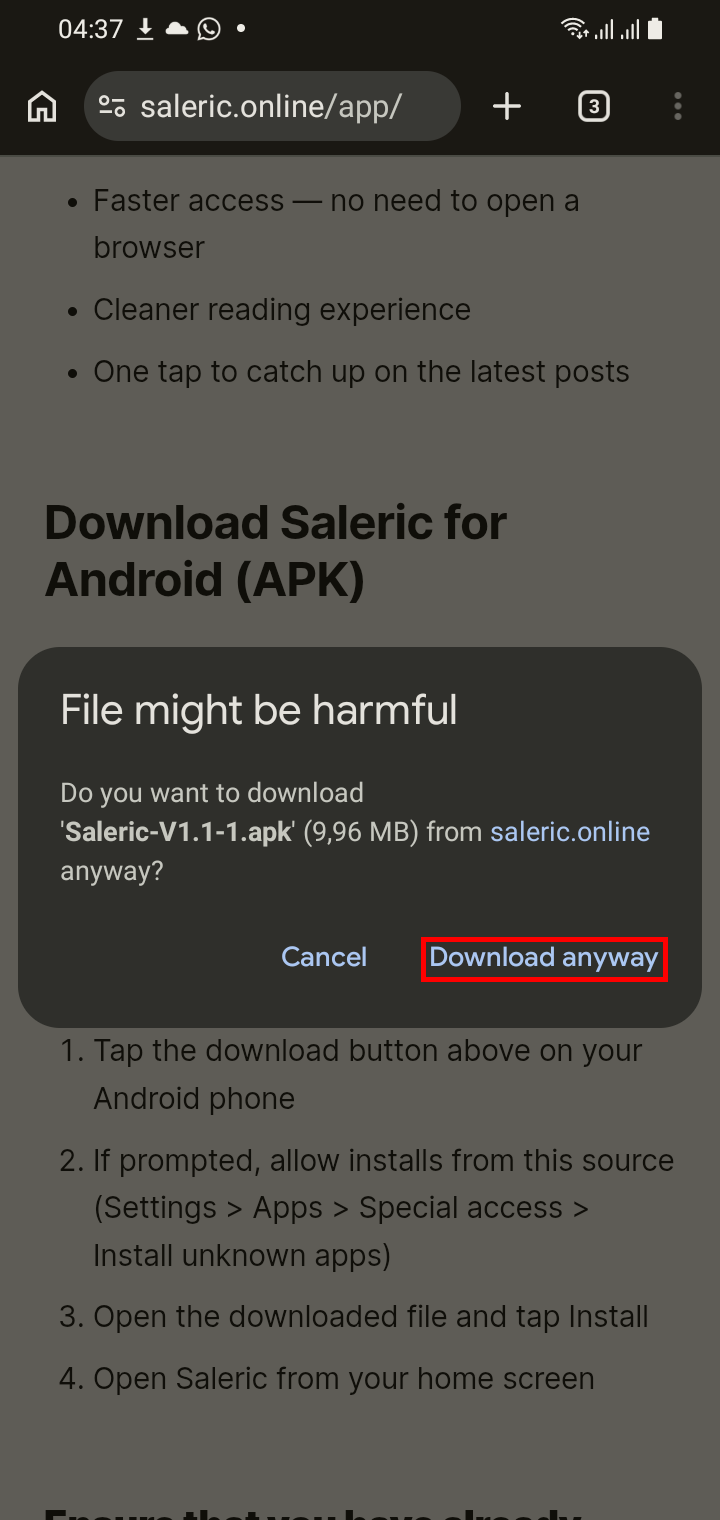
1. "File might be harmful" Chrome flags any APK from outside the Play Store this way. Tap Download anyway.
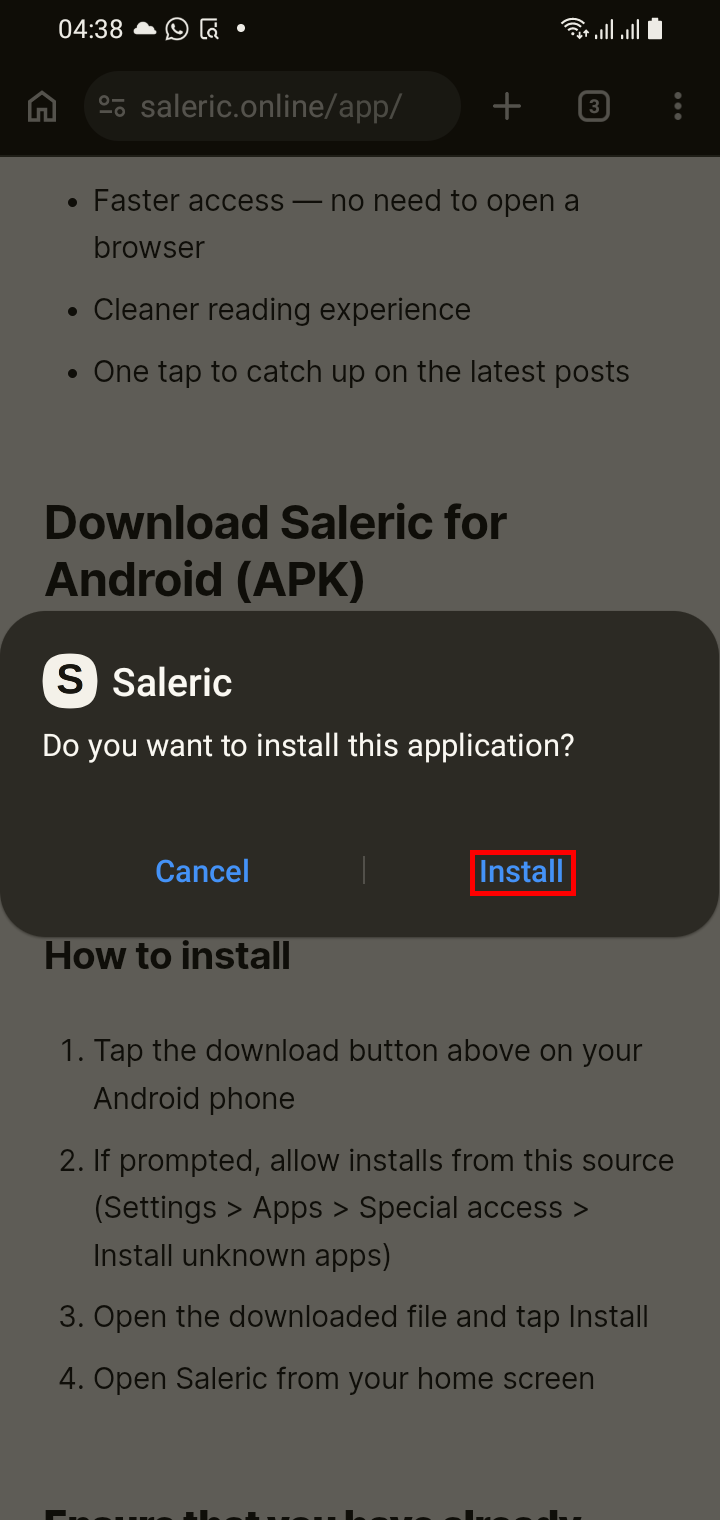
2. "Do you want to install this application?" This is just confirming the app — tap Install.
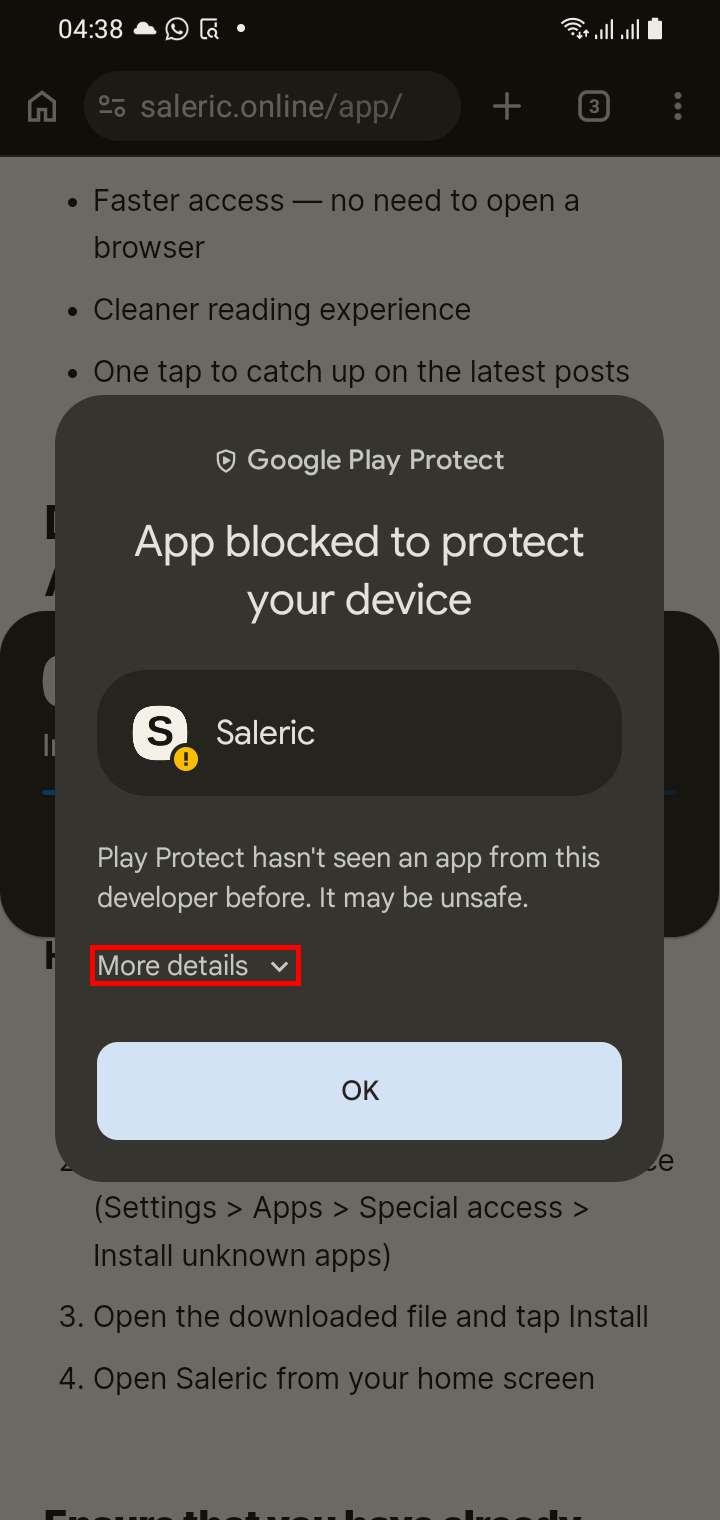
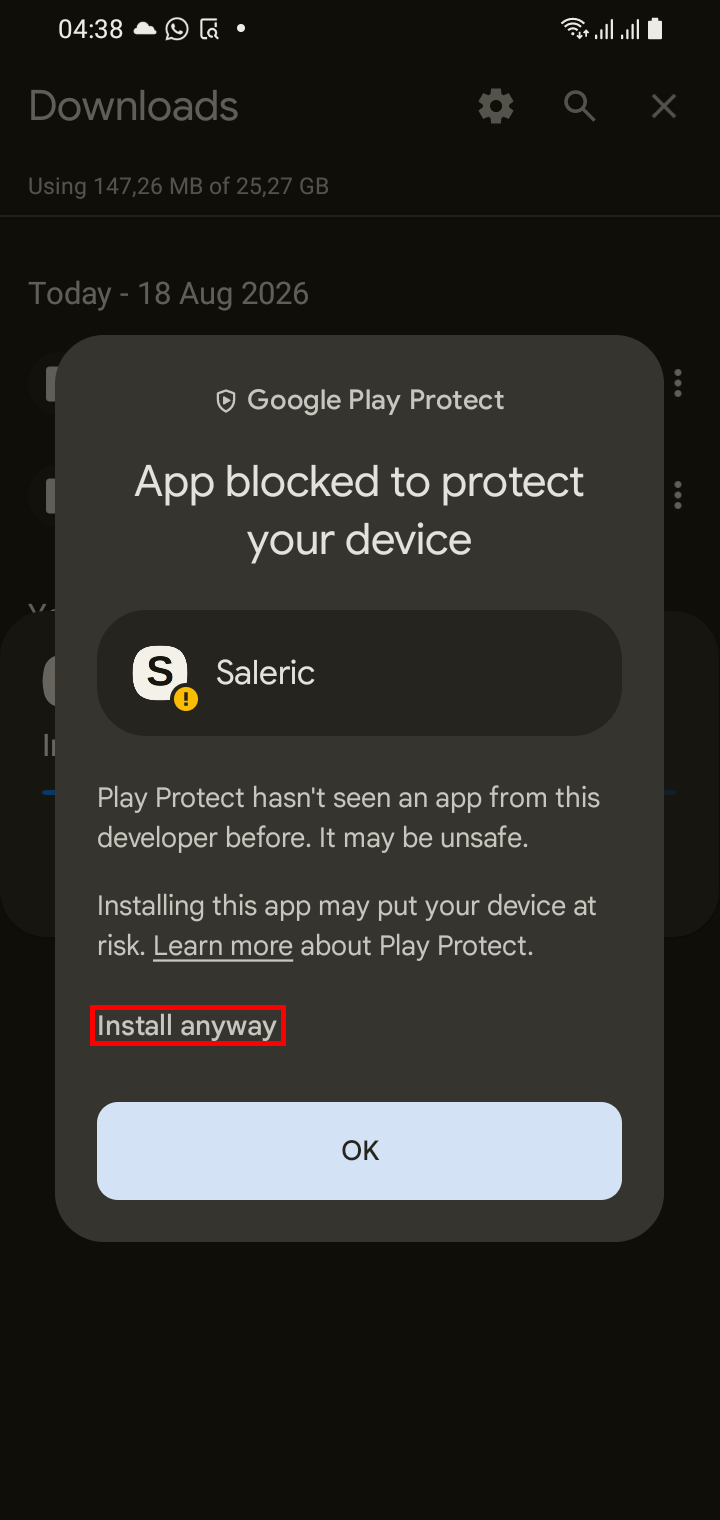
3. "App blocked to protect your device" (Google Play Protect) Play Protect hasn't seen this app before, since it's new and not yet on the Play Store. Tap More details, then Install anyway.
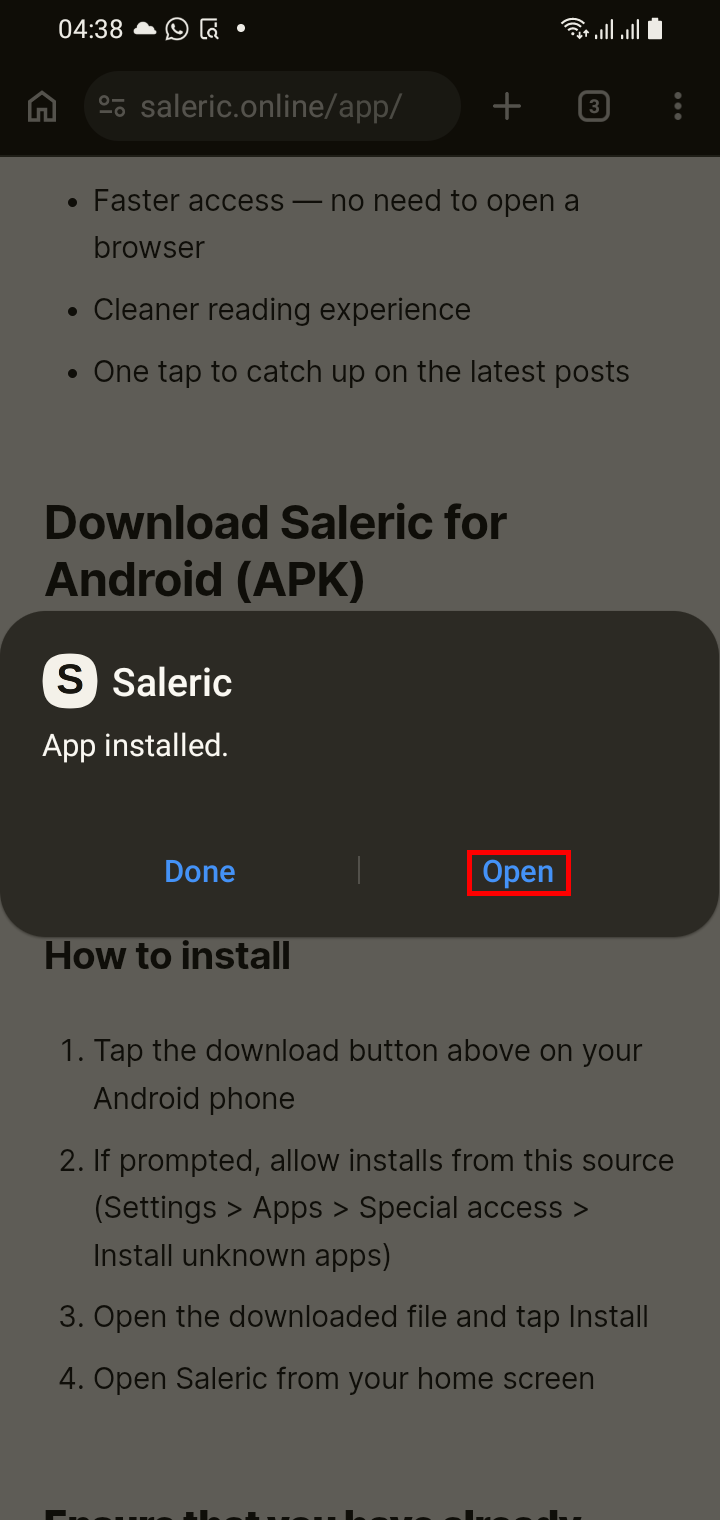
4. "App installed" You're done. Tap Open to launch Saleric.
None of these warnings mean anything is wrong — they're standard for any app installed outside the Play Store. Saleric is safe.
Coming soon
We're working on getting Saleric onto the Google Play Store for an even easier install. In the meantime, the APK above is the fastest way to get the app today.
Questions or issues installing? Contact us.